
Built by the community: a home for apps made with Xava
Community is live on Xava Inference. Open apps people have built with Xava, and add your own from My apps.
Community is a new page on xavainf.com for apps built with Xava Inference. Every card opens the live app. To add yours, submit it from My apps in your Dashboard, and we review it before it goes up.
People have been building things on Xava since launch. Until now, there wasn't really anywhere to see them.
So today we're opening Community, a page just for apps built on Xava. You'll find it at xavainf.com/community.
What's on the page
Every app gets its own card with a picture and a short description of what it does. Click a card and it opens the app itself, so you can try it straight away.
We review every app before it goes up, and every edit after that too.
A few apps to start with
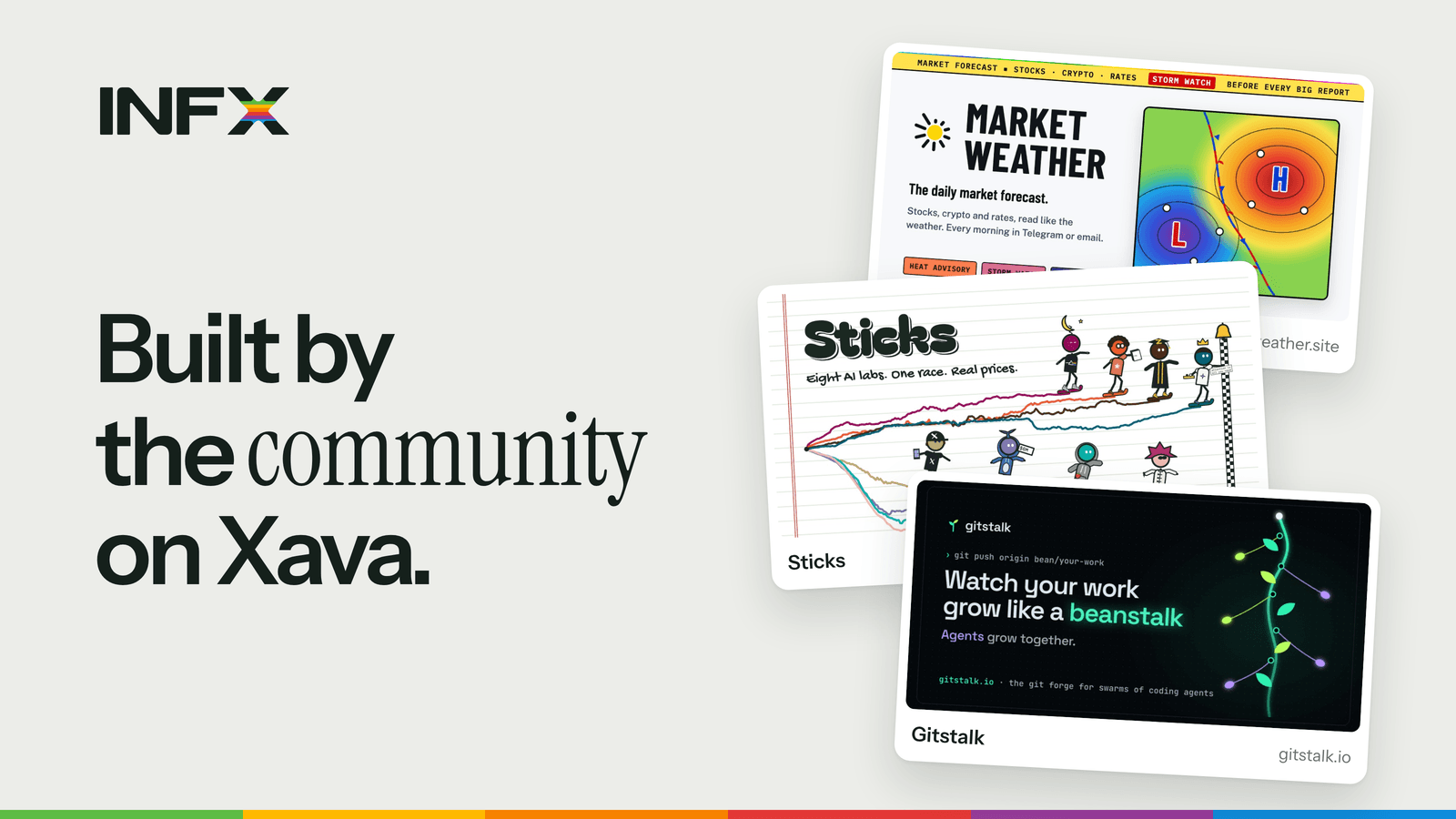
Gitstalk is an open-source git forge for swarms of coding agents, built so lots of agents can work on one codebase without tripping over each other. When a contributor's design proposal goes 72 hours without a comment from a maintainer, Gitstalk reviews it automatically with Claude Opus 5.5 through Xava. It's the first card on the page. Try it at gitstalk.io.
Market Weather is one of ours. It reads the stock and crypto market like the weather, telling you whether it looks sunny or stormy and why. One short message arrives every weekday morning before the open, in Telegram or by email, and you can ask Nimbus about any stock or coin. Try it at marketweather.site.
Sticks is a race between eight AI labs. Each one trades crypto and stocks on paper using real prices, and players pick the lab they think will win. It's free to play. Try it at sticks.fun.
Add your app
If you've built something with Xava, we'd love to see it on the page.
- Click Submit your app on the Community page, or open My apps in your Dashboard. You'll need to sign in first.
- Fill in your App name and Link, then a Short description of what it does.
- Add a Card image and crop it in Preview on Community. Drag the image to position it and use Zoom to fill the card. What you see there is exactly how your card will look.
- Click Submit for review. Your app shows as In review, then Live once it's approved.
Want to change something later? Edit it in My apps and click Save and send for review. If your app is already live, your current card stays up until we've reviewed the change.
Building for the $10 Challenge?
The Xava $10 Challenge is open until Dec 7 at 2pm UTC. Build something real with up to $10 of inference on Xava, and the top three builds win $1,000, $250 and $100.
Entries go in through the challenge page at xavainf.com/builders-challenge. You don't have to put your build on Community, but you're welcome to if you'd like more people to find it and try it.
Why build on Xava
One OpenAI-compatible key gets you 300+ models, and you only pay for what you use. Try a model in the playground, then create a key and use the same balance in your app when you're ready. Browse everything on the models page.
Follow us on X at @XavaInference and join our Telegram to see new apps as they go up.
Frequently asked questions
Who can submit an app?
Anyone with a Xava account. Sign in, open My apps in your Dashboard, and submit your app for review.
Does adding my app to Community enter it into the $10 Challenge?
No. Challenge entries only go in through the challenge page. Adding your build to Community is optional, so it's up to you.
Can I change my app after it's live?
Yes. Edit it in My apps. Your live card stays as it is until we've reviewed the change.